iPhone · Apple Health
A training notebook. Every session a stamp.
Open today's page, log the sets, stamp it done. The month fills up as an album of stamps you can see across the room. Plans print the days ahead, trends read the months behind, a progress photograph is read for how you are building and a photographed meal for what is in it — from a phone that never asks you to sign in.
Three things, in order
-
01
Open today's page
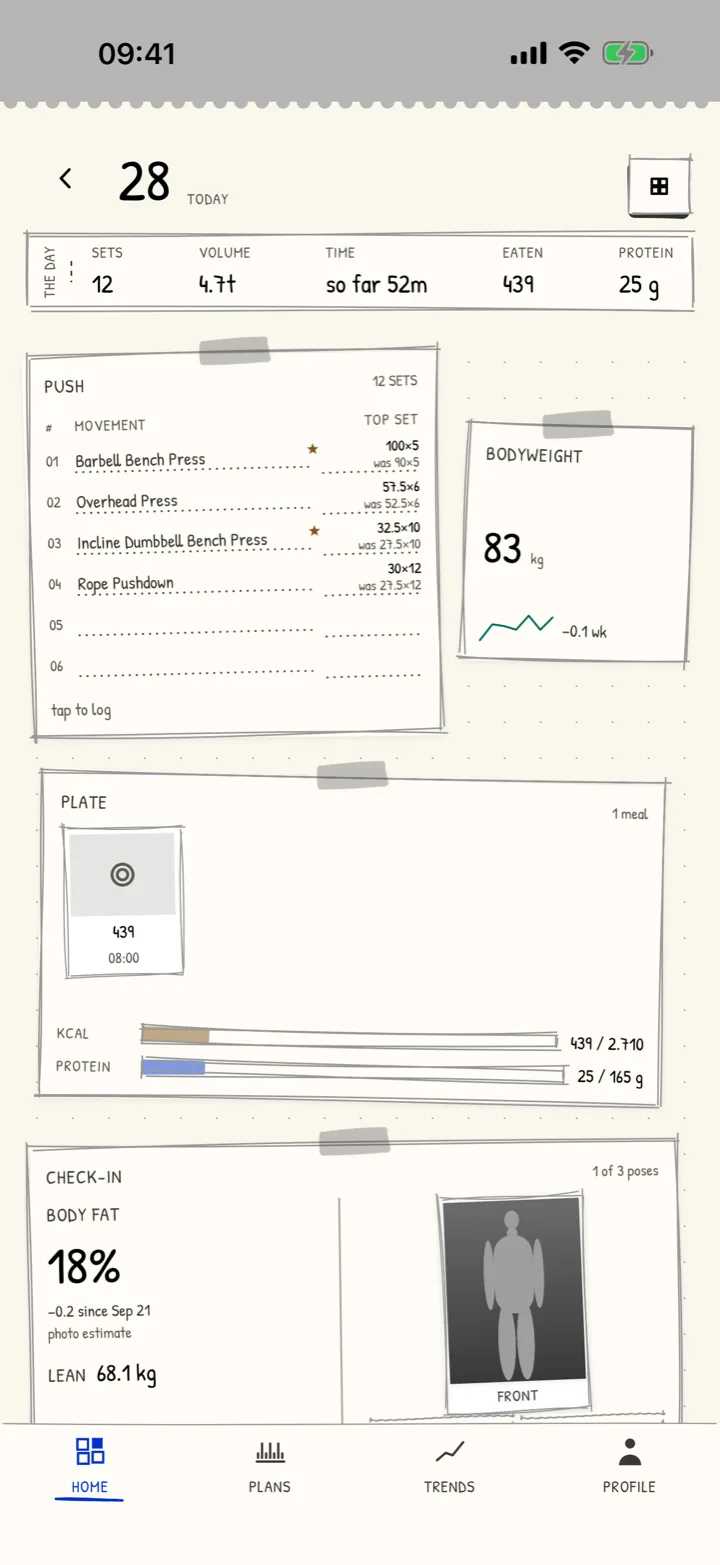
A day is a loose page: the session the plan prescribes, a weigh-in, a note, a photograph if you took one. Any past day can be written on too.
-
02
Log the sets
Last time's numbers are already pencilled in. Change what changed, and a personal record gets its postmark the moment it happens.
-
03
Stamp it done
The day goes into the album as a stamp. A month of training is a page you can read at a glance, and Apple Health gets the workout if you let it.
What it actually looks like
-
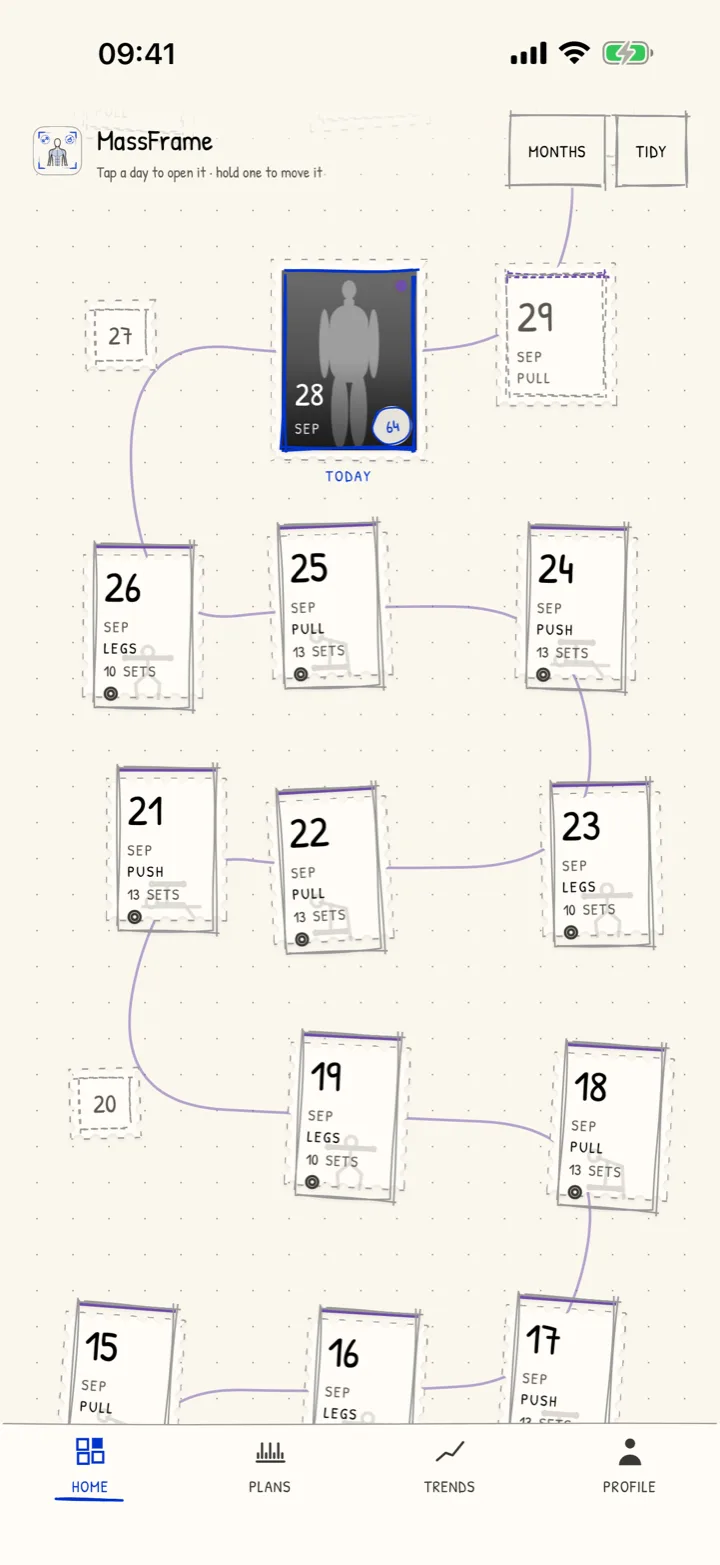
The album Every day you trained, as a stamp on the month — the weeks you kept, readable from across the room.
-
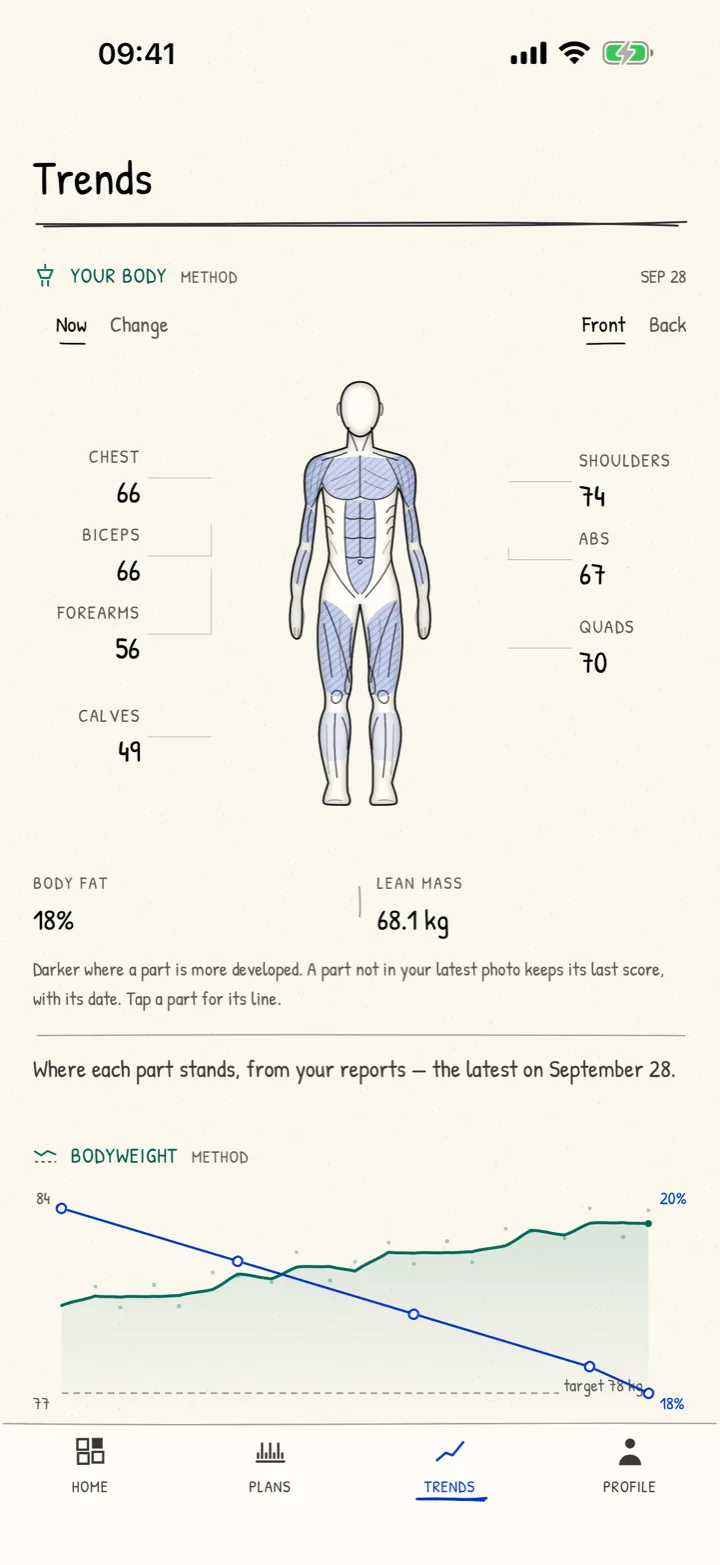
Your body, read Each part of you scored from your photographs, with body fat, lean mass and where the line is heading.
-
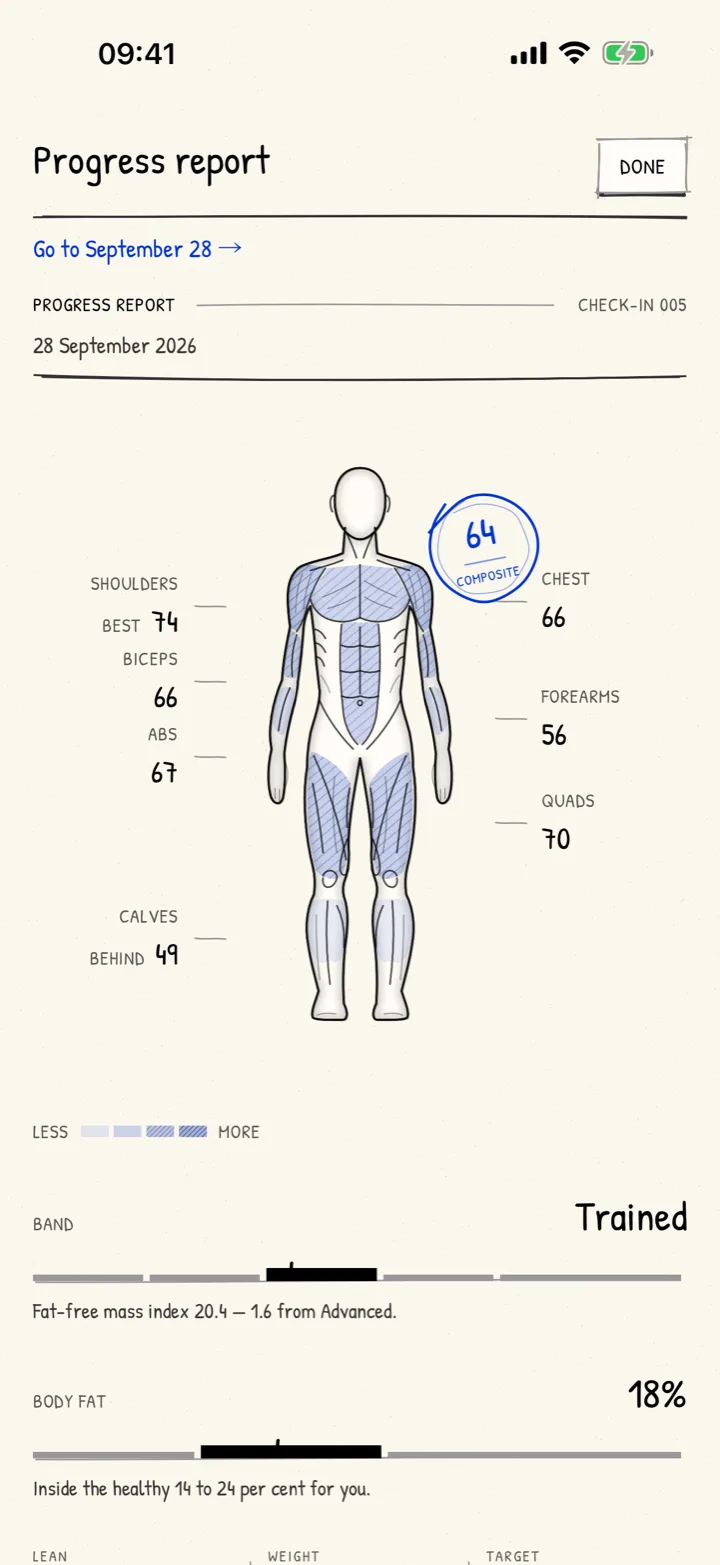
The progress report One photograph, read: which part leads, which is furthest behind, and the figures worked out on your phone.
What it is, and what it isn't
It is
- A notebook that keeps every session, set and personal record on your phone
- An album of stamps — the month at a glance, the years behind it
- Training plans that print the days ahead, from ten built in or your own
- Trends: strength per movement, bodyweight and body fat over time
- A progress report from one photograph — read for muscular development, with body fat, lean mass and an FFMI band worked out from your own figures
- Meals from a photograph — the foods, calories and macros, against daily targets worked out from your body and your goal
- Reads and writes Apple Health, each direction only with your permission
- A notebook you can take out whole, to a file, whenever you like
- Free while we are testing — nothing in it is for sale
It isn't
- A coach, a dietitian or a doctor — it records what you did and works out estimates; nothing in it is medical advice
- An account. There is nothing to sign up for and no server holding your notebook
- A social network. Nobody sees your album but you
- Watching you. No analytics, no tracking, no advertising
Your notebook doesn't go anywhere
Everything you write stays in the app on your phone, protected by its passcode. The exceptions are photographs you ask to have read: a progress photo, with four body figures, or a meal. Each goes through a relay we run to a model at OpenAI, after the app has asked you and you have agreed — and each can be turned off in Settings at any time. Apple Health is never used for advertising or sold.